BS 5837 tree survey app · iPhone, iPad and web
The BS 5837 tree survey app that writes the report for you.
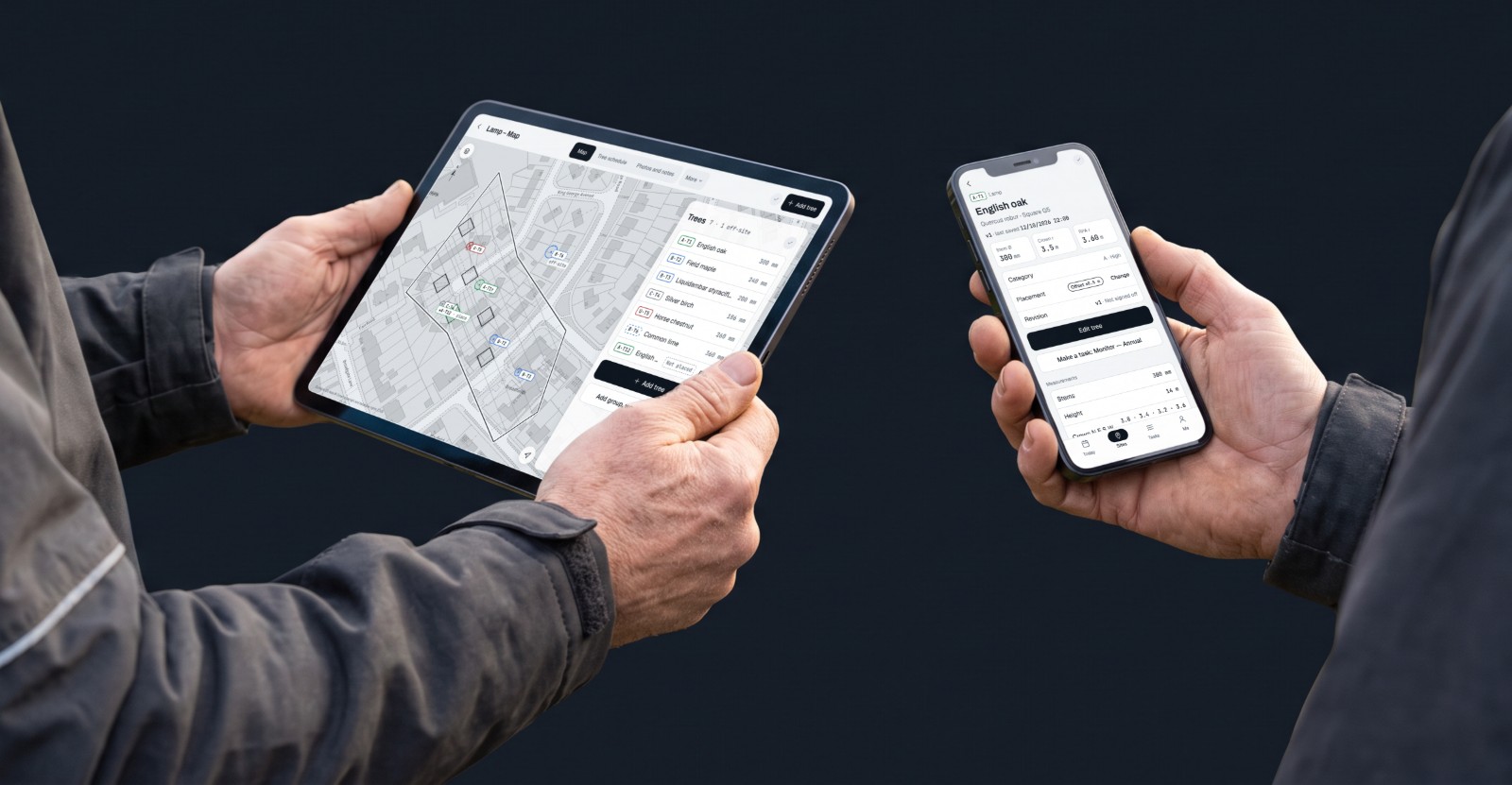
Tree survey software for UK arboricultural consultants. Record trees on site, check them at your desk, then sign and send the BS 5837 report and Tree Constraints Plan.
- No card
- Cancel any time
- Works offline
- Survey data stored in the EU
Who it's for
Tree surveys
You survey sites and write BS 5837 reports
- Categories, RPAs and a tree schedule as you go
- Report PDF, Tree Constraints Plan and DXF
Tree work
You fell, prune and plant for customers
- Start a job from a name and address
- Tasks with due dates and repeats, with reminders on iPhone and iPad
Teams
You check and sign off other people's work
- Roles for owner, surveyor and reviewer
- Review and sign off every report on the desk
See it for yourself
Read a sample report
Cover, revision block, schedule and method appendix. PDF
Download a sample reportPRE-LAUNCH
No customer logos yet, and we won't invent them.
Founding firms: ask us
Setting up a practice or a team early? Talk to us about founding-firm terms.
Email support@treeatlas.appFrom photo to signed report
One tree, from the camera to a signed BS 5837 report. Hover to pause, or pick a step.
- 1Photograph the tree
- 2Placed on the map
- 3Record the measurements
- 4Category proposed
- 5Save and next
- 6Reports and plans
- 7Sign off from the desk
No card · Cancel any time · Works offline
Photograph the tree
Paused while you look
Motion is reduced on this device. Use the steps to move through the demo.
Still typing up surveys at 10pm?
Record each tree once, on site. The schedule, report and plan are built from that record, not retyped from your notes.
The hidden hours
How long does the survey take after you leave site?
The visit is the part you plan for. The retyping and checking afterwards is the part nobody counts. Put in your own numbers.
Example values: change them to yours. They are not facts or averages.
40 trees × 4 min × 6 surveys ÷ 60 = 16 h a month
Your figures, worked out here. We don't publish time-saved claims.
Tree Atlas writes the schedule as you survey.
No card · Cancel any time · Works offline · Survey data stored in the EU
Your Tuesday, now and with Tree Atlas
An illustration, not a measurement. Your times will differ.
Now
Paper, camera roll, spreadsheet- 08:30On site with a clipboard. Measurements go on a paper sheet.
- 10:45Photos land on the camera roll, numbered by the phone, not by tree.
- 13:00Next site. Same again.
- 18:30Evening: retype the field sheets into Word or Excel.
- 20:00Match photos to trees from memory.
- 21:00Work out root protection areas in a spreadsheet.
- WedRedraw the constraints in CAD.
With Tree Atlas
One record, on site- 08:30On site. Take a photo: the tree is placed on the map. Enter the measurements on the phone.
- 10:45Each photo is attached to its tree as you take it.
- 13:00Next site. No signal is fine: it uploads later.
- 17:00Report PDF, Tree Constraints Plan, schedule CSV and DXF generated from the survey.
- 17:15Review what changed and sign off from the desk.
- EveningYours again.
Four slips in five rows. Can you see them?
A schedule retyped in the evening. Hover or tap a cell to check it, or show all four.
Retyped spreadsheet
schedule_v3_final.xlsx| Row | A | B | C | D | E | F |
|---|---|---|---|---|---|---|
| 1 | Tree | Species | Stem (mm) | RPA r (m) | Cat | Photo |
| 2 | T12 | Ash | 520 | 6.24 | B | IMG_4468 |
| 3 | T13 | Oak | 5.76 | A | IMG_4470 | |
| 4 | T14 | Beech | 610 | B | IMG_4469 | |
| 5 | T15 | Sycamore | 390 | 4.68 | ||
| 6 | T16 | Birch | 260 | 3.12 | C | IMG_4473 |
The same rows in Tree Atlas
Elm Lane · R1| Tree | Stem Ø | RPA r | Photos |
|---|---|---|---|
| B·T12 | 520 mm | 6.24 m | 2 |
| A·T13 | 480 mm1 | 5.76 m | 3 |
| B·T14 | 610 mm | 7.32 m2 | 2 |
| C·T154 | 390 mm | 4.68 m | 13 |
| C·T16 | 260 mm | 3.12 m | 1 |
RPA is calculated from the stem. Categories are proposed by the rule set and stamped with its version.
- 1Stem typed 48, not 480 mmIn Tree Atlas: each value goes in its own labelled field with its unit, and the stem is checked as you type. Under 75 mm it asks whether you meant centimetres; over 3 m it asks you to check the tape.
- 2RPA doesn't match the stemIn Tree Atlas: the RPA is calculated from the stem measurements, multi-stem too. Nothing to retype.
- 3Which tree is IMG_4471?In Tree Atlas: the photo is attached to the tree when you take it. No matching later.
- 4Category written as B?In Tree Atlas: the rule set proposes a category. You changed T15 to C, and your override is recorded.
Record it once, on site, and the schedule is already right.
No card · Cancel any time · Works offline · Survey data stored in the EU
Six months later
A tree officer queries T14
They want to know what the report said when it was issued, and why the height is different now.
Now
- 1Find the folder. Is it Survey_v3_FINAL.docx or Survey_v4.docx?
- 2Open the spreadsheet. Was T14's height changed before or after issue?
- 3Search your email for the PDF you actually sent.
- 4Piece the answer together and hope it matches.
With Tree Atlas
- R2 SignedThis week
- R1 Signed · kept as issuedSix months ago
- B·T14Height19 → 21 m
- B·T14Recommendationchanged
Signed revisions are kept exactly as issued. Re-download R1 and send the officer the same report they first received.
From the first photo to a signed report in three steps.
-
A·T1 B·T2 C·T3 U·T5
Step 1
Capture
Take a photo and the tree is placed by GPS. Species is suggested for you to confirm. Measurements, voice notes and condition go straight onto the record, online or not.
Replaces: clipboard, tape and typing up at night
-
What changed since R13 treesB·T2Height
12 m14 mU·T5CategoryCUA·T9New tree+ addedStep 2
Check
Categories are proposed by a stated rule set, and your override is final. Before you sign, see exactly what changed since the last signed revision, tree by tree.
Replaces: checking a retyped spreadsheet against your notes
-
PDFBS 5837 reportPDFTree Constraints PlanCSVTree scheduleDXFCAD by category
Step 3
Sign and send
Preview, sign and download. The report PDF, Tree Constraints Plan, schedule CSV and DXF all come from the same records, and each signed revision is kept as issued.
Replaces: rebuilding the schedule in Word
The details that make tree survey software usable in the field.
Works offline
Trees, photos, measurements, site notes and voice notes wait on your phone and upload when you are back in signal. Satellite maps need signal for now.
Replaces: waiting for signal, or rewriting notes later
Voice notes
Speak, press Stop, and it is transcribed. Transcription can be turned off.
Replaces: scribbled notes you can’t read back
Boundary from an address
Ordnance Survey plot boundaries, or walk the perimeter, or draw it on the aerial map.
Replaces: tracing the site boundary by hand
Sectors for big estates
Split a site into 50, 100 or 150 m sectors. Groups, woodland and hedges too.
Replaces: a grid drawn on a printed plan
Revisions and sign-off
Draft, In survey, Signed. Signed revisions are kept exactly as issued.
Replaces: report_v3_final.docx
Tasks and reminders
Turn recommendations into tasks with due dates and repeats. Reminders arrive on iPhone and iPad.
Replaces: the diary and the whiteboard
Weather and leaf state
Fill survey conditions from Apple Weather and record leaf state in one tap.
Replaces: looking up the weather afterwards
Metric or imperial
Type in feet and inches if you prefer. Reports always stay metric.
Replaces: converting feet and inches by hand
Nothing goes out under your name until you've signed it off.
Surveyors capture. Reviewers check. You sign. The desk at treeatlas.app/desk gives the whole team one review queue, the site map, the tree schedule as a spreadsheet and your base plans.
- Roles for owner, surveyor and reviewer
- Every change since the last signed revision, tree by tree
- Rule version stamped on every tree and report
Site, desk, client and crew: one survey, no retyping.
-
On site
The surveyor records trees, photos and voice notes, even with no signal.
Replaces: clipboard, tape and typing up at night
-
The desk
Check every change since the last signed revision, then sign it off.
Replaces: emailing drafts back and forth
-
The client
Receives the BS 5837 report and Tree Constraints Plan as PDFs, and a DXF for their CAD.
Replaces: tracing trees, crowns and RPAs into CAD by hand
-
The crew
Opens the shared job link or QR code: the map, directions and the work tree by tree. Once opened, it works with no signal.
Replaces: phoning the crew with directions
Simple plans. Try everything free for 30 days.
Solo
You and one worker.
£49 / month + VAT
£58.80 a month including VAT
One report finished on site instead of typed up at night can pay for Solo (£49 plus VAT) for the month.
Up to 2 users · on the web, or in the iPhone and iPad app
30-day free trial · No card · Cancel any time, keep access to the end of the period you have paid for · Web subscriptions: refunds for a wrong or double charge, a serious service failure, or where the law requires. App Store refunds are handled by Apple (see refund policy).
Start your 30-day free trialStudio
For a small practice, any mix of roles.
Coming soon
A plan for small teams is on the way.
Ask about team plansPractice
For larger firms with reviewers.
Coming soon
A plan for larger firms is on the way.
Ask about team plansPrices shown before VAT. Enterprise or framework: contact us.
Compare plansTwo-minute self-check
Where does your week go?
Five yes or no questions. Nothing is sent anywhere.
Answer the questions to see where your week goes.
Answered 0 of 5.
No card · Cancel any time · CSV export stays free after the trial
The things people ask before switching.
Something else? Email support@treeatlas.app and a person will reply.
Does it work offline?
Yes. Trees, photos, measurements, site notes and voice notes are saved on the phone and upload when you are back in signal. Nothing is lost if you have no bars in the middle of a wood. Satellite maps need signal for now.
Can I override the category?
Always. Tree Atlas proposes A, B, C or U from a stated rule set and stamps the rule version on each tree. Your judgement is final, and the method is set out in the report appendix.
Who owns my data, and can I export it?
You do. Export the tree schedule as CSV at any time, and download your reports, plans and DXF files whenever you like.
Is my data kept in the UK or EU?
Your survey data, photos and reports are stored in the EU, in Ireland. A photo sent for a species suggestion and a voice note sent for transcription are processed by Google (Gemini on Vertex AI) in London, in the UK. The privacy policy lists every service we use.
How does the AI work, and can I turn it off?
AI suggests a species from your photo and transcribes voice notes. Both are optional. A suggestion is never saved until you confirm it, and transcription can be switched off.
How much does it cost?
Solo is £49 a month plus VAT (£58.80 including VAT) after a 30-day free trial. No card is needed to start. The pricing page has the details.
What happens after the trial?
If you don't subscribe, recording stops but nothing is deleted. Your trees stay on your account and CSV export stays free. No card is taken during the 30 days.
Will it cover the revised BS 5837?
A revision is expected, but its date is unconfirmed. Tree Atlas stamps the rule version on every tree and report, so a survey you sign today stays as it was issued when the standard changes.
Does it run on iPhone, iPad and Android?
iPhone and iPad from the App Store, and the web desk in any modern browser. On Android, use Tree Atlas in the browser for now: the Google Play app is coming soon.
What is a BS 5837 tree survey?
A survey of the trees on a site, recorded to BS 5837:2012. Each tree gets its species, measurements and condition, a category of A, B, C or U, and a root protection area. Tree Atlas records this on site and writes it up as the BS 5837 report.
What is a Tree Constraints Plan?
A plan of the site showing each surveyed tree with its BS 5837 category and root protection area, so the layout can be designed around the trees. Tree Atlas produces it from the same survey records as the report, as a PDF, with a DXF by category for CAD.
Survey your next site with Tree Atlas.
30 days free with every feature. No card, and your data stays yours whatever you decide.